




Your solar panels are generating free electricity every sunny morning, yet your washing machine still pulls from the grid at 18 p/kWh because it runs at midnight. That disconnect costs you real money.
- What smart plug solar monitoring can really do
- Best loads to target with smart plug solar monitoring
- Picking compatible smart plugs for solar and batteries
- Connect plugs to your solar, battery or energy hub
- Read the data: spot loads to shift to solar
- Tie smart plugs into time-of-use tariffs
- Measure your gains and avoid common mistakes
- Frequently Asked Questions
Smart plug solar monitoring closes the gap: you fit a £15-30 energy-monitoring plug to each heavy appliance, link it to your solar inverter’s data feed or a home-energy app, and suddenly you can see, live, whether the tumble-dryer is eating your own roof-top kWh or expensive grid power. Better still, you can automate the whole dance: tell the dishwasher to start only when your battery is full and the sun is high, or switch off the immersion heater the moment clouds roll in.
What smart plug solar monitoring can really do
You’ve paid thousands for your PV, maybe even a home battery, and yet on a sunny day you’re still importing from the grid while your inverter shows export. That sting in your teeth? That’s paid-for kWh dribbling away at 8-12p in the UK or 6-9 ct in Germany while you buy power back at 25-35 p/ct. Smart plug solar monitoring is about fixing exactly that mismatch.
In plain terms, you use smart plugs with built-in energy monitoring on your chunky but flexible loads, tumble dryer, dishwasher, dehumidifier, office heater, even an EV granny charger in some cases. Those plugs report live wattage into an app or hub, which you tie to your solar or battery data. The result: you can see exactly what each appliance eats and then automate it to run when your PV is high or your battery is full.
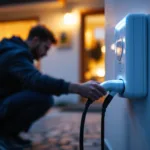
For you, it solves three headaches: low self-consumption (exporting too much), wasted solar during the workday, and unnecessary grid imports in the early evening peak. Instead of guessing, you get hard numbers: “The washer used 0.9 kWh, all from solar.” Over a year, shifting just 2-3 kWh a day off-peak with smart plug solar monitoring can realistically shave £150-£250 / €170-€280 off bills on typical UK/German tariffs, if you’ve got enough flexible loads and sun to play with. The catch is you only save if those appliances really can move to sunny hours or cheap-rate windows.
Complexity is lower than you might fear.
Related internal resource switch from Nest to tado UK.
Best loads to target with smart plug solar monitoring
You’ve got solar on the roof, maybe a battery in the garage, yet the dishwasher still kicks in at 20:00 on peak grid prices. This is exactly where smart plug solar monitoring comes into its own: picking a handful of chunky, flexible loads and nudging them into your sunny hours (or cheap tariff windows) without you constantly babysitting the app.
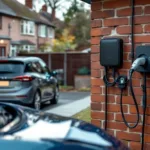
The trick is to go after appliances that: draw 300-2,500 W, can run at any time in the day, and don’t mind being interrupted or delayed. Here’s how the usual suspects stack up.
| Appliance | Typical power | Good for shifting? | Smart plug fit? |
|---|---|---|---|
| Washing machine | 500-2,000 W heat | Yes, daytime cycles | Only with “resume on power” |
| Tumble dryer | 2,000-3,000 W | Very good | Plug must handle 13 A |
| Dishwasher | 1,000-2,000 W heat | Excellent evening target | Use delayed start + plug |
| Immersion heater | 1,500-3,000 W | Top-tier solar sink | Usually needs hard-wired relay |
| Dehumidifier / office kit | 200-600 W | Good background load | Smart plug ideal |
For washing machines, dryers and dishwashers, the win is simple: you batch the washing and set them to run in a late-morning or lunchtime solar window instead of the evening. A 2 kWh wash/dry cycle that would have cost you about £0.52 on a UK flat rate of 26p/kWh effectively drops to near zero if it’s covered by PV that would otherwise spill to the grid. Over a week of family laundry, that’s easily 10-15 kWh shifted into your own generation instead of pulled from the battery at night.
Immersion heaters are the heavy hitters. In a German home with 6 kWp PV, a 2 kW immersion running for 1.5 hours on a bright afternoon soaks up 3 kWh that would likely have been exported for a low Einspeisevergütung .
Related internal resource time of use tariff UK AI savings.
Picking compatible smart plugs for solar and batteries
You’re probably staring at a pile of “smart” tat online and thinking: which of these will actually help you push more solar into the dishwasher, and which will just spam your phone. For smart plug solar monitoring to pay its way, the plugs need to be accurate, safe, and speak the same language as your inverter or home battery app.
Start with the basics: plug rating and safety. In the UK you want 13 A plugs (around 3 kW at 230 V) for anything with a heating element, kettles, tumble dryers, washing machines. In Germany/Austria, look for 16 A Schuko models rated for 3.6 kW. Avoid the cheap no-name units on big marketplaces; they’re often badly calibrated and may run hot under load. Sticking to established ranges like TP-Link’s Tapo or similar energy-monitoring plugs sold through a proper retailer gives you better build quality and clearer specs.
Next is how they connect. Wi-Fi smart plugs are common and easy, they talk straight to your router and into Alexa/Google Home, but a houseful can hammer your Wi-Fi. Zigbee (and, slowly, Matter) plugs cluster behind a hub like a Philips Hue bridge or a Home Assistant SkyConnect, which is tidier if you plan ten or more devices. For smart plug solar monitoring that reacts quickly to PV output, Zigbee is often snappier and more reliable than bargain Wi-Fi plugs on a weak signal.
Then think about where the data goes.
| Feature | Why it matters | Better for | Watch out for |
|---|---|---|---|
| 13-16 A rating | Handles big loads safely | Washers, dryers, kettles | Cheap 10 A units |
| Energy monitoring | Tracks kWh and watts | Solar optimisation | “Smart” with no kWh |
| Zigbee/Matter | Low load, fast response | Many plugs, hubs | Needs extra hub |
| Local control | Works if internet down | Solar-based rules | Cloud-only automations |
| App integration | Talks to your ecosystem | Home Assistant, Alexa | Obscure, closed apps |
Connect plugs to your solar, battery or energy hub
You’ve got PV on the roof, maybe a battery in the garage, but the tumble dryer and dishwasher still seem to run at the worst possible time. The trick is getting your smart plugs talking to the same “brain” that sees your solar and battery, so the whole lot works as one system rather than a pile of random apps.
First, get each smart plug working in its own app. Plug it in, hold the pairing button, then follow the brand’s instructions to join your 2.4 GHz Wi-Fi or your Zigbee hub. Most energy-monitoring models (Tapo, Shelly, Eve, FRITZ!DECT, etc.) show live and historical kWh use, that’s what you need later for solar automations. Check that monitoring is actually enabled and note the plug names you set; call them “Washer” or “EV heater”, not “Plug 7”.
Next, bring those plugs into a central energy hub. If you use Home Assistant or a similar platform, add the integration for your plug brand (e.g. Tapo, Shelly, AVM) and for your inverter or battery (SMA, Fronius, SolarEdge, GivEnergy, etc.). The goal is to see three things on one dashboard: current solar generation, battery state of charge, and each plug’s power draw. That’s your base for proper smart plug solar monitoring and automations.
If you prefer vendor ecosystems, you can do something similar. Many inverter portals and smart-home platforms will pull in supported plugs directly or via Matter.
Read the data: spot loads to shift to solar
You’ve got panels on the roof, maybe a battery in the garage, and yet your bills still look… ordinary. This is where using your smart plug solar monitoring properly starts to pay off. You’re not just turning things on and off by app, you’re using the data to shove as many watts as possible into the “free from the roof” column, instead of the “£0.29/kWh grid” column in the UK or €0.30/kWh in Germany.
In your app, focus on three things for each smart plug: the live power (W), the daily energy (kWh) and the timestamp. Live power tells you how “heavy” that load is. Daily kWh tells you its real cost. Time tells you whether it’s clashing with clouds or lining up with sunny hours and any cheap off-peak periods.
| Time | Appliance | Power | Note |
|---|---|---|---|
| 07:00-08:00 | Washing machine | 1,800 W peak | Before PV ramps |
| 10:30-11:30 | Dishwasher | 1,600 W peak | Good solar overlap |
| 18:00-19:00 | Tumble dryer | 2,300 W | After PV drop |
| Night 00:00-04:00 | Battery charge | Variable | Off-peak tariff |
| All day | Entertainment & “vampires” | 40-80 W | Base load |
Now overlay that in your head with your PV curve: maybe 0-0.5 kW at 8am, 3-4 kW through late morning to mid-afternoon, then tapering down again. The game is simple: anything that isn’t time-critical moves into the lump of that PV “mountain” or, failing that, into your cheap night-rate window.
Take that tumble dryer. Say your smart plug shows 2.3 kW for a 1-hour cycle, three times a week. That’s roughly 2.3 kWh × 3 = 6.9 kWh weekly, about 360 kWh a year. On a standard UK flat rate of around 29p/kWh for electricity , that’s roughly £104/year if you mostly run it after dark.
Tie smart plugs into time-of-use tariffs
You’ve got solar, maybe a battery, and you’re staring at your app thinking: do I run this now on sunshine, or wait for the cheap night rate? This is exactly where smart plug solar monitoring earns its keep, by helping you line up your big loads with both your PV curve and your time-of-use tariff.
First job: tell your smart home system about your tariff. In Octopus or E.ON apps you’ll see half-hourly or hourly prices; in Home Assistant or similar you can pull that in as a price sensor. Then you add your smart plugs (washing machine, dishwasher, dehumidifier, maybe a 2 kW heater in winter) and set simple rules: only run when forecast solar is high, or when price is below a certain p/kWh, whichever comes first.
| Tariff type | UK example | DE example | Best use |
|---|---|---|---|
| Day/night | EDF Economy 7 | E.ON two-zone | Shift to night off-peak |
| Agile / dynamic | Octopus Agile | Awattar Hourly | Follow hourly price dips |
| EV-focused | Octopus Go | EnBW mobility+ | Charge battery / EV cheap |
| Flat | Standard SVT | Grundversorgung | Maximise self-consumption |
A simple rule of thumb: on a basic day/night tariff, use solar for daytime background stuff (fridge, router, work-from-home kit) and schedule heavy but flexible loads overnight via smart plugs if the night rate is clearly below your export price.
Measure your gains and avoid common mistakes
You’ve set up smart plug solar monitoring, the graphs look pretty, but is it actually saving you money, or just giving you homework? The quick test is this: are you pulling fewer kWh from the grid during sunny hours, and are your big loads definitely running while the PV is high rather than at random?
Start by taking a simple baseline. Most inverter or home-battery portals will show daily self-consumption and grid import, grab a typical week from before you added automations, then a week after. You’re looking for a clear drop in imported kWh between, say, 10:00-16:00, and a bump in self-consumption percentage on bright days. If you use a separate monitoring app, an energy-aware smart plug brand like Tapo, export the data and compare “smart-plug loads” against what your inverter says it produced that day.
Common traps are boring but fixable. Overloading is the big one: don’t put a 3 kW tumble dryer or 2.5 kW portable heater on a 10 A smart plug, check the plug’s rating and stay well under it. Double-counting is another: if your energy app already tracks the whole house, only use smart plugs for individual devices, not for circuits already metered elsewhere, or your “PV savings” will look magically inflated.
Frequently Asked Questions
What is a smart plug with energy monitoring?
A smart plug with energy monitoring is a plug-in adaptor that not only switches a device on and off via app or schedule, but also measures how many watts and kWh that device uses.
Do smart plugs actually save energy?
On their own, no, they just measure and switch. The savings come from what you do with them.
Can smart plugs help me monitor my energy usage?
Yes. Smart plugs report per-appliance use in watts and kWh, usually every few seconds to a minute, so you see exactly what your dehumidifier, fridge or router costs to run.
What is a smart energy monitoring system?
It’s the whole stack: your PV inverter, smart meter, home battery, EV charger, smart plugs and a central hub or app tying the data together. You see solar generation, grid import, and key loads in one place and automate around it.
Which smart plug has the best energy monitoring features?
“Best” depends on your setup. Look for decent accuracy (calibrated, with kWh logging), frequent updates, and data export or API access.
Support for Matter or Zigbee, the correct UK or Schuko socket, and the option for local control all help.
Smart plug solar monitoring won’t magically double your solar savings overnight, but it will show you exactly where your self-generated kWh are going and give you the levers to shift another 10-20 % of your load into daylight hours. Start with one or two heavy appliances, washer, dryer, immersion, watch the data for a week, then layer in a simple automation or two.
The hardware is cheap, the learning curve is gentle, and the payback on a £60 plug investment typically lands inside six months if you’re on a time-of-use tariff and your daytime export rate sits below your evening import price. Keep tweaking, keep measuring, and your panels will work harder for you than they ever did on their own.